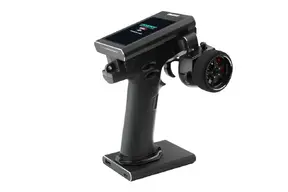
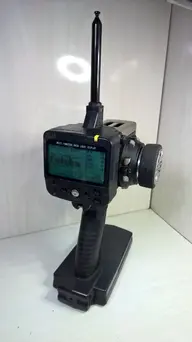
While other lines of Flysky surface radios (GT3, GT5, etc) are "ok", their line of Noble radios is "outstanding"...so much so that a number of top pro racers, and an ever-increasing number of amateur racers, have been switching to them. If that's not enough to convince you, nothing will. If you need a little more 'convincing', read on.
Personally, prior to about a year after the original Noble NB4 was released, my primary radio was a
Futaba 7PX. This was what I used for all my race vehicles (surface & boats), as well as many of my bashers. Then, I picked up the NB4. I should mention that, when the Noble Pro was released, I did consider it, but decided it was overpriced, and the NB4 offered a much better "bang for the buck", which is why I got the Noble NB4, as opposed to the Noble Pro. The longer I had it, the less I was using the 7PX, as I was binding all new vehicles/vessels to the NB4, as well as switching some from the 7PX, to the NB4.
WHen the NB4+ and Pro+ were released, seeing the improvements made, I imediately ordered the NB4+, and sold the original NB4. Moving forward to approximately a year after the NB4+ was released, I've picked up a second NB4+, and plan to sell the
Futaba 7PX. The NB4+ offers all the features & functionality (in reality, it actually offers more) of the 7PX, with an equally-good build quality (even the build quality of the NB4+ might be higher), at a lower price. Even better, receiver prices are not only lower than the cost of Futaba's receivers, but Flysky offers a greater variety (not saying "more models", but a "greater variety).
The only 'downside' to the entire line of Noble radios is the firmware update procedure. With the Futaba, when updating the firmware (on those extremely rare occassions that Futaba actually released an update), all you had to do was install the update, and you were "good to go". With the Noble radios, it's a multi-step process, which is further complicated because you'll also need to update the firmware within each of the receivers (yup...even the receivers have firmware). First, you'll need to perform a 'backup' all the model memories to a file on your computer. Next, you install the firmware update to the radio (there are two ways of doing this - via the software, with the radio connected to the computer; or, via microSD...most recommend the microSD method). Once the radio's firmware is updated, you'll need to update the firmware in each receiver, followed by re-binding them to the radio (update Rx 1, then re-bind Rx 1, then update Rx2, then re-bind Rx 2, etc). After the radio & receivers have all been updated, and all receivers have been re-bound, then you need to perform a 'restore' of all model memories. I know this might seem of "little convienence", but the 'good' thing in this is, in regards to the model memories, you don't need to backup/restore each model memory one-by-one...you can do the backup/restore as a single file, containing all of the model memories in a single file.
Hope this makes your decision easier.