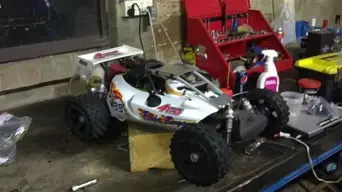

sperera's baja experience begins

This site may earn a commission from merchant affiliate
links, including eBay, Amazon, and others.
good show. I pick up my baja tonight. can't wait to start ripping into it. I remember something about having to plug some hole to the belt drive... did you do that Sohan?

upgrades for me will have to wait until the end of the month, though it allready has front brakes. comes with a 5755 for steering. the 645 on throttle is coming out, I have 2 5645's to pop in, and a new kill sitch to test (they'll be for sale after we finish testing them, the aluminum case they come in is very sweet looking). I probably won't get much runtime before the new year anyway. it's friggin monsoon season here. I have to leave for work, and I got so wet yesterday I am dreading it
 
good show. I pick up my baja tonight. can't wait to start ripping into it. I remember something about having to plug some hole to the belt drive... did you do that Sohan?

upgrades for me will have to wait until the end of the month, though it allready has front brakes. comes with a 5755 for steering. the 645 on throttle is coming out, I have 2 5645's to pop in, and a new kill sitch to test (they'll be for sale after we finish testing them, the aluminum case they come in is very sweet looking). I probably won't get much runtime before the new year anyway. it's friggin monsoon season here. I have to leave for work, and I got so wet yesterday I am dreading it

Never heard of that Pipe! They might be talking about the invisible gab between tensioner housing and rear diff housing, smearing a bit of grease around this would fix this but you would need to clean the grease off quite often and to get to it you would need to remove the engine.

Removing the engine is pretty easy in the FG but depending on what pipe you have you would need to remove the pipe to get the roll cage off and there's nothing more than I hate than removing the pipe! I would rather kiss my mother in law and thats saying something!

You going to start a thread on your FG? I think you will love it, i highly recomend alloy engine mounts though.
 
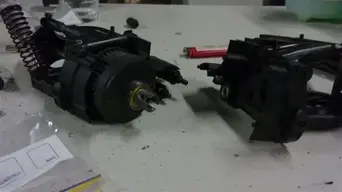
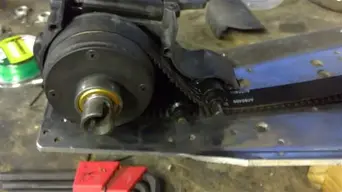
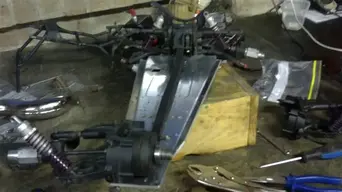
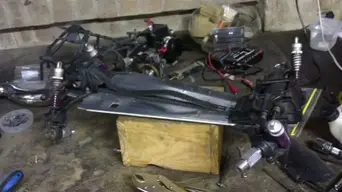
Mine's coming with the fg pipe. I am meeting him tomorrow. I sold a couple of my rc's tonight and had some scrambling to do. http://forums.rcpitstop.com/index.php?topic=20788.0 that's it. it's brand new too.. I love new stuff except I never got to build it so I'll be stripping it down.

I can't remember where it went. there was some hole pointed out in a build thread that got plugged...

http://www.rc-car-online-shop.de/ls...Tshowrub--tuning.hinterachse.fg_4wd_heck,.htm

that's going to be one of my first upgrades
 
is that a spur gear cover? i run a steel spur and don't have an issue with the gears.

is the FG your getting 2WD or 4WD?

hopefully my thread will help you strip it down.........should you need it :D
 
OK had a bit of spare time last night so started to put it all back together.

After getting the swing arms on the new front diff housing I started again documenting the rebuilt.

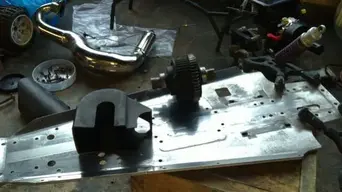
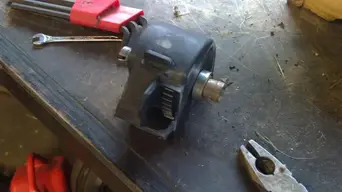
I like to start with the rear diff, first step is to grab the rear diff which is different from front because it has a ring gear on it and the front doesn't. put it in the diff housing, just a cup shown in below pics. The cup just slides over the diff. You want to make sure the ring gear is facing the side with the cut out in it shown below, this enables the layshaft gear to mesh with ring gear, if it doesn't go in this way nothing will work. Hope this makes sense.
 

Attachments

  • 23.webp
    23.webp
    23.3 KB · Views: 9
  • 24.webp
    24.webp
    19.1 KB · Views: 9
I should have mentioned with previous step that pics were taken to show how the diff goes into the cup, before you install you want to wrap the belt around the diff, so do this before you proceed any further!

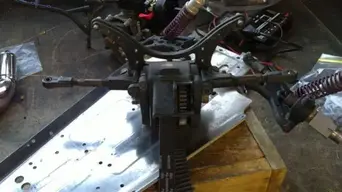
Next we want to get the rear suspension mounts and axle housings on, real easy. its in two parts from when we removed everything in the strip down. Push one side of the diff into the axle housing, held in place by large bearing. Then push the other side on. When you looking at it trust me you cant go wrong. there is only one hole large enough to make these bearings fit. I should have taken more pics but just wanted it together as it was getting late.

Now to secure it all together push the upper swing arm pin through the suspension mount and attach e clip. Then there are four screws that go in from the back, install them and tighten.

Thats the rear end all together. You will notice at this point that the diff cut can still move, thats normal, its held in place by a bracket further down in the rebuild so don't worry.
 

Attachments

  • 25.webp
    25.webp
    22.8 KB · Views: 6
Ok next I start working on the front diff and housing area, this is a little more tricky but still very basic.

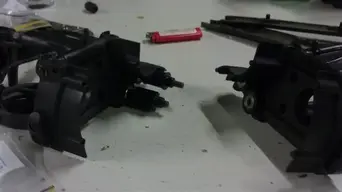
As the pics below show there are two places for bearings in each housing LHS and RHS, in the lower holes attach the pulley with teeth, in the heigher one attach the smooth pulley, very important to get this righ otherwise you will damage the belt and/or pulleys down the line.

You will also notice on both of these RHS and LHS housings there are locating pins, these housing just clip together, when you screw them into the chassis this keeps them together while running but take you time ligning everything up, make sure the rod for the two pulleys goes into the bearing otherwise it will come off while running. Its easy but you just want to go slow.

Hope this is making sense.
 

Attachments

  • 26.webp
    26.webp
    9 KB · Views: 7
  • 27.webp
    27.webp
    11 KB · Views: 6
Now its time to place the front diff housing on chassis and get the belt through it. Place the diff in the housing by using the bearing as locator, just push it in. Push it in same side as the pulleys are placed on. You will also notice that on one side of the diff there is more flat plastic are that the other, align it so the ribbled area lignes up with the pulleys so the belt runs straight and true.

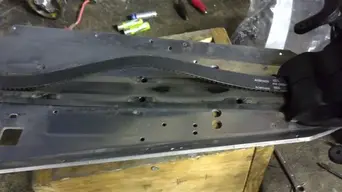
As picture shows flat of belt will run along chassis and mesh with toothed belt, then wraps around front diff and flat part of belt touches smooth pulley. again take your time with this, you don't want to align incorrect.

don't worry about all the slackness in belt, this will be taken up when the tensioner is installed later.
 

Attachments

  • 28.webp
    28.webp
    15.5 KB · Views: 6
  • 29.webp
    29.webp
    20.1 KB · Views: 5
Now put the other half of the front diff housing, again these have locating pins so go slowly and lign them up. The pulleys in the preious post also need to lign up with the bearings in this housing.

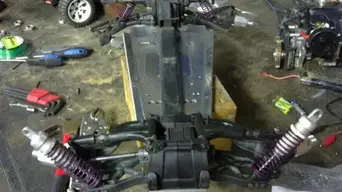
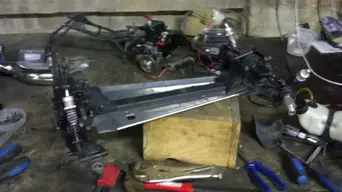
Once you got them together don't screw down the front housing to the chassis, that comes later. You should now be left with something resembling the pics below. At this point neither the front or rear diff housing are screwed in, just to make it easier to work on.

You can now put in 4 screws from underneath chassis to REAR diff to secure it. These are inbetween the rear swing arms, when looking at it you cant go wrong.

Next we want to get the belt cover in place. Half the belt runs along the chassis, cover no.1 shown below goes over half the belt, slide it right up into the front housing until the mount holes align and put the second cover on top of that, it should then look like the second picture. don't screw this cover in place yet, we want to get the tensioner in first. Make sure when putting the belt cover on that the end with the cut out bit sticking out is facing rear diff. Didnt take a pic of this to show you but one is a square end and one has a bit sticking out, this is the bit im talking about needs to face rearward.
 

Attachments

  • 30.webp
    30.webp
    22.2 KB · Views: 7
  • 31.webp
    31.webp
    17.6 KB · Views: 6
Ok next we got the top belt cover on, this just clicks in place, once you got it on you can secure the belt cover in place and put all the screws from under neath the chassis into front diff. There are eight screws to secure front diff and 6 screws to secure belt cover, all go from underneath chassis you should then be left with something resembling first pic below. Not the gap between belt cover and rear diff, this in my opinion is the hard bit to get on, only because you got to push rear hard to tension the belt and put in the screws from underneath, would be much easier if you got a mate to help as the extra pair of hands makes it less akward.

At this poing I still have no screws in the rear diff housing, I put some in now but only a couple of thread deep as I need the movement to secure the tension. The tensioner has 2 locating holes and 4 screw holes, again the screws go in from underneath chassis.

Push the tensioner down as close to chassis and align the locating pins, use the screws from underneath to pull the tensioner flush against chassis and tighten. You will notice this pulls the rear diff housing up a bit, just tighten the screws now for rear diff and it will pull it in place. Now the belt should be very taught, rotate the acles by hand to make sure there is a smooth roll of the 4wd system.

Remember it runs on a taugh belt so it never rolls freely like a 2 WD but you should be able to turn the axles by hand, if you cant something is binding and you will need to troubleshoot, If you do id recomend making sure the belt was aligned corrently. Ive never put this back together and had anything bind, just check your bearings before you put it back together and you shouldnt have a problem.

Once tensioner is on you should be left it looking like second picture.
 

Attachments

  • 32.webp
    32.webp
    26.2 KB · Views: 12
  • 33.webp
    33.webp
    21.2 KB · Views: 12
thats pretty much the 4WD system installed. double check and make sure all screws are in and tight from under chassis for front diff, rear diff, tensioner and belt cover.

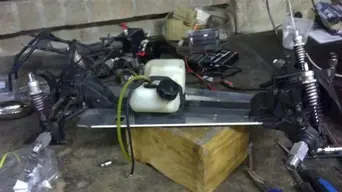
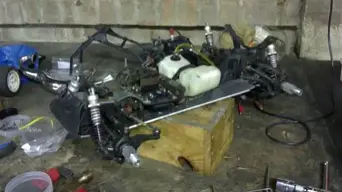
Now I put in the fuel tank, just 4 screws from undernearth, make sure the cap faces right, it can be mounted both ways but you want the cap facing right.

Next put the buts in for the rear supension up top as shown in secon pic and the bolts for either side of the upper swing arms into rear uprights (make sure you install the dog bones first).

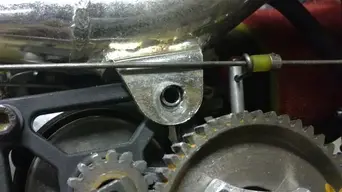
Also you might as well now put in the alloy bracket, only do the RHS bolt as the LHS is used for gear mesh with the large engine mount. do the bolt up real tight as this makes the gear mesh correct, nice and close.
 

Attachments

  • 34.webp
    34.webp
    21.6 KB · Views: 10
  • 35.webp
    35.webp
    20.8 KB · Views: 10
Last thing I did last night was to install the radio tray. best way I find to start putting this back on is loosly put the 4 screws next to front suspension mount on alloy tray shown right at the front, this will allow you to flip it without the tray moving. next put the four screws from underneath chassis into radio tray legs, do them tight. Now you can tighten the four from the top we just put on loosley before.

Next the steering rods can be attached to the front uprights, just a nut and bolt on each side is all it is. Then put the front shockers back on the mount, just a nut at the top on each and thats everything but the engine and gears done

Couldnt do any more last night as I was waiting for my engine but now that ive got it I can get started on that. Its a long motor so its going to take me a few days to prepare it.

Let the fun and games continue
 

Attachments

  • 36.webp
    36.webp
    21.7 KB · Views: 11
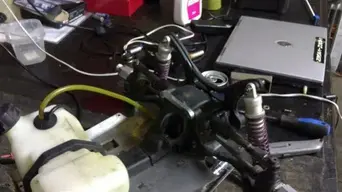
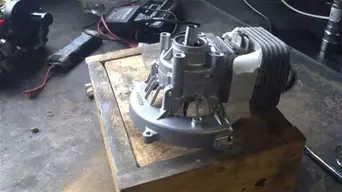
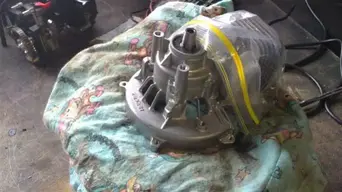
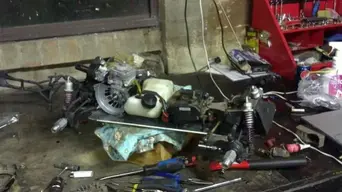
Man what a frustrating night. Almost nothing went as it should in getting the new long block ready for install.

The crankcase mod went well, included some pics below of that but everything else took way longer than it should. I couldnt get the old crank key out no matter what I did, hammer, multigrips etc nothing worked!

Then got the old clutch housing off ok but wouldnt align on the new but fixed that, got the clutch and inlet and air filter housing on all ok.

So the only thing holding me back is the crank key, gotta try and find one today or im out for the weekend!
 

Attachments

  • 37.webp
    37.webp
    22.5 KB · Views: 15
  • 38.webp
    38.webp
    25.7 KB · Views: 16
  • 39.webp
    39.webp
    27.4 KB · Views: 15
Last edited:
got the G290 running sweet, bit on the rich side but I like it this way, specially with the hotter weather around the corner!

I got so carried away once the new engine arrive I forgot I was doing a doco LOL.

So here is the last of the pics to finish it off. Hope you enjoyed it.

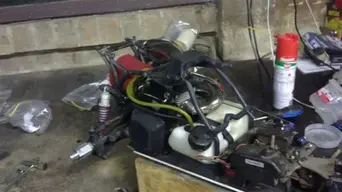
Last thing to go in is the engine and cage. Engine goes in by 4 bolts from underneath chassis into engine mount and then 1 bolt for alloy bracket shown previously from behind engine underneath carby. This bolt gets the gear mesh correct for layshaft gear and diff ring gear so do it tight and check the mesh!

Then the cage goes on (do not install pipe before cage) which is just 2 screws from underneath chassis and 4 nut and bolts from the back into suspension mount. Last goes on the pipe.

Now because the G290 is a bit bigger in the cylinder than the G260 the pipe bracket shown below was off, so just used my new rotary tool and opened it up a bit and all sweet.

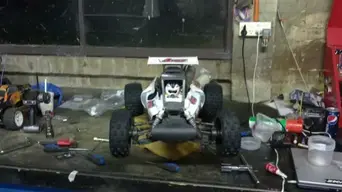
Well thats it folks. From now on only action shots :D
 

Attachments

  • 43.webp
    43.webp
    21.9 KB · Views: 15
  • 42.webp
    42.webp
    22 KB · Views: 16
  • 41.webp
    41.webp
    21.9 KB · Views: 12
  • 40.webp
    40.webp
    22.8 KB · Views: 17
I haven't really touched my baja since getting it, just sits beside me... one thing about outside temperatures. it's opposite to what most people think. if it's cold outside the air is more dense so you have to run richer as more air will get in. when it's warm out you lean it out some to make up for the less dense air...

I got me a new non rc toy to play with. a tc helicon voice touch, vocal harmonizer. what an amazing thing. I play in a 3 pce band and I do all the vocals... just worked out fat bottom girls last night and I do all the vocals myself. kind of my winter hobby. going to start doing some recording again of my own stuff once I get this garage cleaned up and set up the equipment
 
I should. I actually wrenched on mine last night. I pulled the 5645 out of the cen and the 645 out of the baja, swapped them around. baja had a digi steering and analog th/b servo, and 2 analogs steer the cen. I thought my spare was a 5645 but turns out its a 5625, so no dual servo setup yet. just put it together with the digi. good news on that is I wanted to swap a servo n the semi. I have a 5625 and a crap tower pro (that's lasted 2 yrs funny enough) but at least this servo has a home. I'll order another 5645 then I will rip the baja apart and make a carbon servo tray
 
don't think you can buy the 5645 anymore, they stopped making them a few months back, replacement is the 5755 which is what I run. better output gear and more torque :D For the same money!
 
lots of them on ebay for cheap ;) but I just redid my downstairs flooring. finished 10pm last night. so buying anything has to wait until end of the month. had to put a lot of it on the credit card. man I don't even want to work today. how do people do flooring everyday for a living? my back and knees are done

I'll be stripping mine down before I run it, and I'll do a mod/build thread. my camera battery needs replacing. I get maybe 2 or 3 pics and it needs to recharge... charges for about a minute and says done. lol POS.
 
Back
Top